Introduction
The way we watch television has changed dramatically. Traditional cable is slowly fading, and internet-based streaming is now leading the entertainment world. If you’re searching for the best IPTV apps for TV and mobile, you’re not alone. Millions of users now prefer IPTV because it offers flexibility, convenience, and access to global content.
IPTV (Internet Protocol Television) allows you to stream live TV channels, movies, and series over the internet instead of cable or satellite. With the right IPTV player app, you can enjoy seamless streaming on Smart TVs, Android devices, iPhones, tablets, and even computers. If you’re interested in exploring international content options, check out our detailed guide on IPTV by Nation: Discovering the Best Channels Worldwide, where we break down the best regional channel selections available globally.
In this complete 2026 guide, we will break down the top IPTV apps, their features, compatibility, setup methods, and legal considerations so you can make an informed decision.
What Is IPTV and How Does It Work?
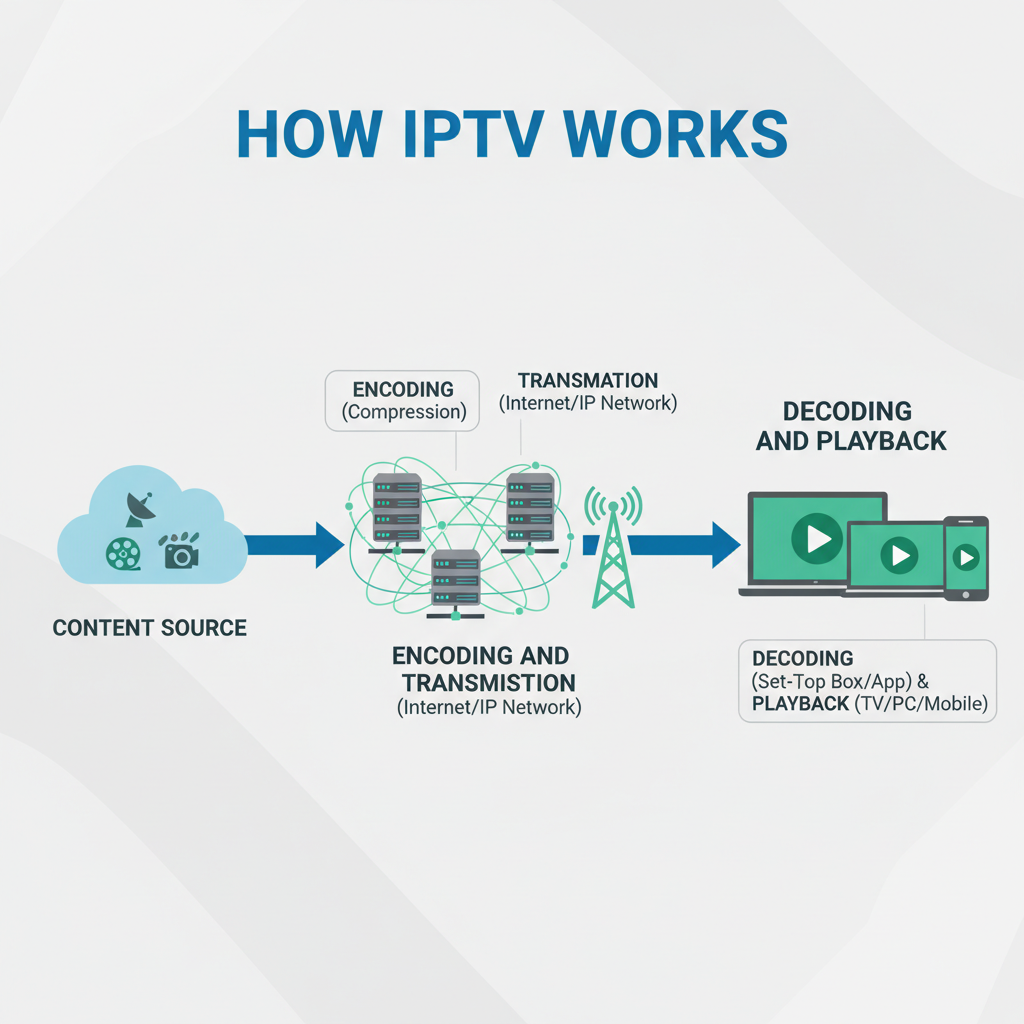
IPTV delivers television content using internet protocols instead of traditional broadcasting systems.
Here’s how it works:
-
Content is sourced from broadcasters.
-
It is converted into digital packets.
-
Data is transmitted over the internet.
-
Your IPTV app decodes and plays the stream.
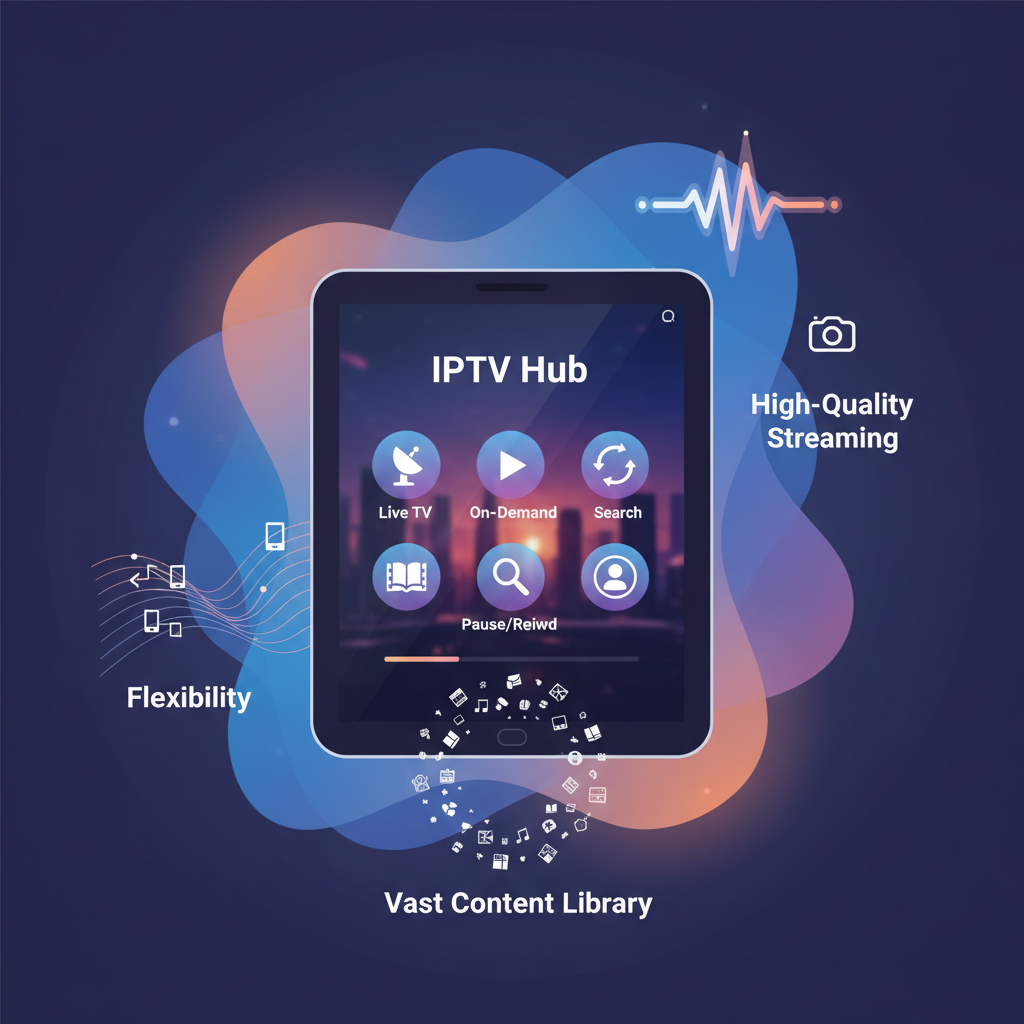
Unlike cable TV, IPTV allows:
-
On-demand content
-
Catch-up TV
-
Multi-device streaming
-
Pause and rewind live TV
According to Statista, the IPTV market continues to grow globally, reflecting strong consumer demand.
Why Choosing the Best IPTV Apps for TV and Mobile Matters
Not all IPTV apps are equal. Choosing the wrong app can result in buffering, crashes, or poor navigation.
When selecting the best IPTV apps for TV and mobile, you should consider:
1. User Interface
A clean and simple interface makes browsing easy.
2. Device Compatibility
Ensure the app supports:
-
Android TV
-
Samsung Smart TV
-
LG WebOS
-
Firestick
-
iOS devices
-
Windows & macOS
3. EPG Support
An Electronic Program Guide helps you see upcoming shows.
4. Stability & Speed
Good IPTV apps reduce buffering and load channels quickly.
5. Advanced Features
Look for:
-
Multi-screen
-
DVR recording
-
Parental controls
-
Subtitle support
7 Best IPTV Apps for TV and Mobile in 2026
Below are the most reliable and widely used IPTV players today.
1. TiviMate
Best for: Android TV & Firestick
TiviMate is one of the most powerful IPTV players for large-screen viewing.
Key Features:
-
Premium modern interface
-
Advanced EPG
-
Multiple playlist support
-
Catch-up TV
-
DVR (Premium version)
Pros:
✔ Smooth performance
✔ Remote-friendly design
✔ Regular updates
Cons:
✖ Premium version required for full features
2. IPTV Smarters Pro
Best for: Cross-device compatibility
IPTV Smarters Pro works on Android, iOS, Windows, macOS, and Smart TVs.
Features:
-
Live TV, Movies & Series
-
Xtream Codes API login
-
Built-in player
-
Parental controls
-
Multi-screen support
It’s one of the most beginner-friendly IPTV players available.
3. Perfect Player IPTV
Best for: Lightweight performance
Perfect Player offers a clean TV-style layout and strong EPG integration.
Pros:
✔ Highly customizable
✔ Stable playback
✔ Supports M3U and XMLTV
Cons:
✖ Interface may feel technical
4. Kodi (With IPTV Add-ons)
Kodi is a powerful open-source media center.
Using the PVR IPTV Simple Client add-on, you can stream IPTV playlists easily.
Pros:
✔ Highly customizable
✔ Free & open-source
✔ Supports almost every device
Cons:
✖ Setup requires technical knowledge
Always ensure you use legal IPTV sources when using Kodi.
5. GSE Smart IPTV
Best for: iPhone & iPad users
GSE Smart IPTV offers smooth playback and simple playlist management.
Features:
-
M3U support
-
Chromecast compatibility
-
Subtitle support
-
Multiple playlist loading
6. VLC Media Player
VLC is not a dedicated IPTV app but can stream M3U playlists directly.
Pros:
✔ Completely free
✔ Supports almost all formats
✔ Cross-platform
Cons:
✖ No built-in EPG
7. nPlayer
Best for: Premium mobile streaming
nPlayer is a powerful paid media player for iOS and Android.
Pros:
✔ Excellent playback engine
✔ Gesture controls
✔ Advanced subtitle support
Cons:
✖ Paid application
How to Install IPTV Apps on TV and Mobile
Method 1: Using M3U Playlist
-
Open IPTV app
-
Select “Add Playlist”
-
Paste M3U URL
-
Load channels
Method 2: Using Xtream Codes API
-
Choose “Login with Xtream Codes”
-
Enter username
-
Enter password
-
Enter server URL
Content loads automatically.
For detailed Firestick setup, see our internal guide:
? How to Install IPTV on Firestick (Insert your internal link here)
IPTV Legality and Safety
IPTV apps themselves are legal. The issue depends on the IPTV subscription provider.
Legal IPTV services have proper content licensing.
Illegal services:
-
Offer premium channels at very low prices
-
Often shut down
-
May expose users to malware
Learn more about copyright protection at:
https://www.fact-uk.org.uk/illegal-streaming/
Always use legitimate providers.
Internet Speed Requirements
For smooth IPTV streaming:
| Quality | Recommended Speed |
|---|---|
| SD | 5 Mbps |
| HD | 10 Mbps |
| 4K | 25+ Mbps |
Use wired Ethernet for best performance on Smart TVs.
How to Improve IPTV Performance
-
Restart router regularly
-
Use 5GHz WiFi
-
Close background apps
-
Consider VPN for privacy
-
Update IPTV app regularly
Frequently Asked Questions
1. What are the best IPTV apps for TV and mobile?
TiviMate and IPTV Smarters Pro are currently the most reliable options.
2. Do IPTV apps include channels?
No. They are players. You need a subscription.
3. Is IPTV legal?
Yes, if you use licensed providers.
4. Can I use IPTV on multiple devices?
Yes, depending on your subscription plan.
5. What’s better: M3U or Xtream Codes?
Xtream Codes usually offers easier setup and better integration.
6. Do I need a VPN for IPTV?
Not mandatory, but recommended for privacy.
Conclusion
Choosing the best IPTV apps for TV and mobile ensures a smooth, flexible, and high-quality streaming experience across all your devices. Whether you prefer watching on a Smart TV in your living room or streaming on your smartphone while traveling, the right IPTV player makes all the difference.
TiviMate stands out for Android TV users. IPTV Smarters Pro offers the best cross-platform support. GSE Smart IPTV is ideal for iOS users.
Before subscribing to any IPTV provider, always verify legitimacy, prioritize performance, and ensure strong internet connectivity.
With the right setup, IPTV can completely transform your entertainment experience.
Sources:
[1] Statista. (2023). IPTV market size worldwide from 2022 to 2028. Retrieved from https://www.statista.com/statistics/1312690/global-iptv-market-size/
[2] Federation Against Copyright Theft (FACT). (n.d.). Illegal Streaming. Retrieved from https://www.fact-uk.org.uk/illegal-streaming/
[3] High-Speed Internet. (n.d.). Internet Speed Guide. Retrieved from https://www.highspeedinternet.com/internet-speed-guide